


Everything You Can Do Inside the Comcast Business App in 2026, the landscape of business management has shifted from desktop-bound administrative tasks to agile, mobile-first operations.
At the heart of this transformation for millions of entrepreneurs is the Comcast Business App. No longer just a tool for checking your balance, the 2026 iteration of the app has evolved into a comprehensive command center that integrates AI-driven network management, unified communications, and enterprise-grade security.
Whether you are running a boutique retail shop, a multi-site medical practice, or a high-growth tech startup, the Comcast Business App is designed to give you total control over your digital infrastructure from anywhere in the world.
1. Unified Communication: Your Office in Your Pocket
In 2026, the concept of being “at your desk” is fluid. The Comcast Business App bridges the gap between traditional office telephony and modern mobile flexibility through its VoiceEdge integration.
Be Anywhere with Voice Mobility
The “Be Anywhere” feature allows you to set up multiple devices—such as your mobile phone or a home office line—to function as extensions of your primary business profile. When a client calls your office, you can answer it on the app, ensuring your personal mobile number remains private while maintaining a professional appearance.
One-Touch Call Management
Gone are the days of complex star-codes. The app now features a visual interface for:
- One-Touch Transfer: Seamlessly move a live call from your mobile app to your desk phone or a colleague with a single tap.
- Visual Voicemail: Read transcriptions of your voicemails and prioritize responses without listening to audio files.
- Automated Attendant Control: Update your business hours or holiday greetings instantly. If you need to close early due to weather, you can reroute all incoming calls to a mobile team or a recorded message in seconds.
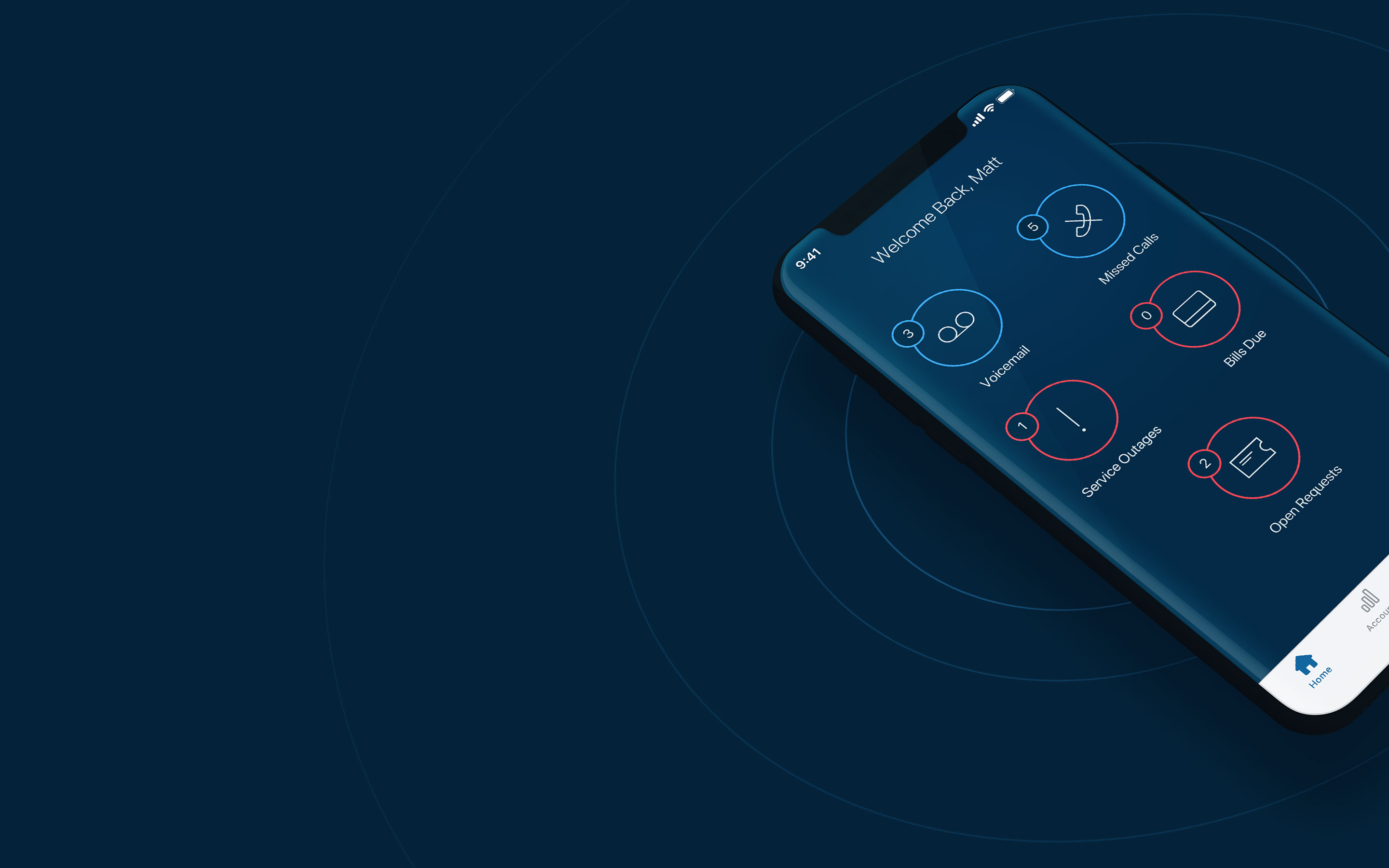
2. Advanced Network Management and Connectivity
Reliability is the currency of 2026. The Comcast Business App provides real-time visibility into your network health, allowing you to manage both your primary fiber/broadband connection and your backup systems.
Wireless Connect & Battery Backup
For businesses that can’t afford a second of downtime, the app monitors your Wireless Connect status. This system intelligently combines your fixed internet with dual cellular networks. Inside the app, you can see if your system has switched to cellular backup and monitor the status of your Connection Pro battery, which provides up to eight hours of power during a local outage.
WiFi Management and Extenders
The app serves as a centralized hub for your mesh network. You can:
- Manage WiFi Extenders: Identify and eliminate “dead spots” in your building by viewing a heat map of your signal strength.
- Guest Networks: Create and schedule guest WiFi access for customers, keeping your private business data on a separate, secure band.
- Remote Reboot: If your speeds feel sluggish, you can perform a full gateway restart directly from the app dashboard without ever touching a cable.
3. SecurityEdge™ Preferred: The Invisible Shield
Cybersecurity is no longer an optional add-on; it is a necessity. In 2026, the Comcast Business App integrates SecurityEdge™ Preferred, a next-generation firewall built directly into the network.
Real-Time Threat Dashboard
The app features a dedicated security tab where you can view a live feed of blocked threats. This includes:
- Malware & Phishing Protection: Automatic blocking of known malicious domains.
- Botnet Detection: Identifying if any device on your network has been compromised.
- Geolocation Filtering: A 2026 update allows you to restrict traffic from specific high-risk regions or countries, adding an extra layer of protection against international cyber-attacks.
Because this security is network-based, it protects every device connected to your WiFi—from laptops and tablets to smart thermostats and security cameras—without requiring individual software installations.
4. Account Management and Billing
Efficiency in the back office is what allows a business to scale. The Comcast Business App streamlines the “boring” parts of business ownership.
Billing and Payments
Manage your cash flow with precision:
- Auto Pay & Paperless Billing: Set it and forget it to avoid late fees.
- In-depth Invoicing: View historical data and download PDF invoices for tax purposes directly to your device.
- Quick Pay: Make a one-time payment using biometrics (FaceID or Fingerprint) in less than ten seconds.
Appointment Tracking
If you have a service upgrade or a technical visit scheduled, the app provides a real-time “Where’s My Tech” tracker. You’ll receive push notifications when your technician is on the way, including their name and a photo for added security.
5. Comcast Business Mobile Integration
For users on Comcast Business Mobile plans, the app acts as a secondary portal for managing cellular lines.
- Data Monitoring: Track data usage across up to 20 lines to ensure your team stays within their limits.
- Plan Switching: In 2026, the app allows for mid-cycle plan changes. If a team member is traveling and needs more data, you can switch them from “Unlimited Intro” to “Unlimited Premium Flex” instantly.
- 5G Status: Check 5G coverage and access more than 23 million Xfinity WiFi hotspots to save on cellular data costs.
6. The User Experience: Designed for 2026
The 2026 version of the app emphasizes Predictive Support. Using AI telemetry, the app can often detect a potential equipment failure before it happens. You might receive a notification saying, “We’ve detected a slight signal degradation in your gateway. Tap here to run a self-diagnostic or schedule a proactive replacement.”
This proactive approach shifts the burden of maintenance from the business owner to the service provider, ensuring that your “always-on” connection truly stays always-on.
Roles and Permissions
As your business grows, you can’t do everything yourself. The app allows the Primary Manager to assign roles:
- Services Manager: Can troubleshoot and manage WiFi.
- Billing Manager: Can view and pay invoices but can’t change network settings.
- Service User: Can manage their own personal VoiceEdge settings.
Summary of Key Features
- Unified Communications: Hosted voice, call forwarding, and visual voicemail.
- Network Control: Management of WiFi Extenders, Guest WiFi, and remote gateway reboots.
- Continuity: Monitoring of Wireless Connect (Cellular Backup) and Battery Backup status.
- Security: Real-time threat reporting and geolocation filtering via SecurityEdge™ Preferred.
- Account Mobility: Real-time tech tracking, biometric payments, and multi-user permission management.
By integrating these disparate systems into a single, intuitive interface, the Comcast Business App in 2026 allows you to spend less time managing your technology and more time managing your business.
More Stories
Unlock the Core Strategy: The Secret Weapon of Top Performers
The Hidden Secret Behind Scaling Your Business Fast – Revealed
The Rise of the Side Hustle Empire: How Solo Entrepreneurs Are Redefining Business in the Gig Economy